Whatnot giveaway rules decide whether a giveaway grows your show or gets your account restricted. Giveaways are one of the best ways to pull viewers into a live stream and keep them there, but Whatnot treats them as legal promotions: you need written rules, a prize you actually ship, and no purchase requirement. This guide explains every rule sellers need to know in 2026, the three giveaway types, what your official rules must say, how to set up a giveaway in the app, and the mistakes that lead to account action.
Key Takeaways
- Whatnot has three giveaway types: Standard, Follower-only and Buyer Appreciation.
- A giveaway runs for up to five minutes, can’t be paused or cancelled once started, and Whatnot picks the winner at random.
- You can never require a purchase to win. Buyer Appreciation Giveaways in the US and Canada include a free web-form entry.
- You pay shipping for physical prizes (including international, if enabled), and you must ship within two business days.
- Prize wheels, raffle drums, cash prizes and denying a winner are all against the rules.
Table of Contents
- What Are Whatnot Giveaways?
- The 3 Types of Whatnot Giveaways
- Whatnot Giveaway Rules for Sellers
- What Your Official Giveaway Rules Must Include
- Buyer Appreciation Giveaway Rules
- How to Create a Giveaway on Whatnot
- Who Pays Shipping for Whatnot Giveaways?
- How to Use Giveaways to Grow Your Whatnot Shows
- Giveaway Mistakes That Get Sellers in Trouble
- Frequently Asked Questions
- Conclusion
What Are Whatnot Giveaways?
A Whatnot giveaway is a free prize you offer during a live show. Viewers tap to enter, and when the timer ends Whatnot picks a winner at random and announces it on stream. The prize can be a physical item you ship or, for eligible sellers, a digital prize such as a Whatnot Gift Card (US and Canada) or a coupon (Japan).
The basics every seller should know:
- Live shows only. You create a giveaway listing in a scheduled or active show, then start it during the stream.
- Up to five minutes. You can draw early or let the timer run out. Once a giveaway starts, it can’t be paused or cancelled.
- Entrants must be ready to receive a prize. Viewers need a saved shipping address and payment method, and they must still be in the show when the winner is drawn.
- One entry per person. Entries must be manual. Whatnot detects multi-account and bot entries and can cancel those wins.
The 3 Types of Whatnot Giveaways
When you create a giveaway, you choose who can enter. Each type suits a different goal.
| Type | Who can enter | Best for |
|---|---|---|
| Standard | Anyone watching the show (you can limit it to domestic viewers) | Pulling new viewers into the stream and keeping them watching |
| Follower-only | Viewers who follow you (domestic-only option available) | Growing your follower count so more people get show notifications |
| Buyer Appreciation (BAG) | Viewers who buy something after the giveaway is created, plus free web-form entrants in the US and Canada | Thanking buyers and encouraging purchases, without making a purchase required |
Buyer Appreciation Giveaways are available in the US, Canada, the UK, Germany, France, Australia, Austria, Belgium and Japan. Sellers can create them in the app or on whatnot.com, but buyers enter through the app.
Whatnot Giveaway Rules for Sellers
These are the platform rules Whatnot enforces. Breaking them can cost you the ability to run giveaways, and you can be billed for the value of a giveaway you didn’t fulfil.
- Never deny a winner. The winner gets the prize even if they didn’t buy anything, don’t follow you on social media, or don’t react in chat.
- Show the prize before you run it. Say what the winner receives in the listing or on stream. A mystery item is allowed only if it stays on screen until it is fully opened.
- Don’t change the prize based on who wins. No downgrading for non-buyers and no upgrading for buyers.
- No extra conditions. The only allowed limits are the ones built into the feature: followers only, domestic only, or buyers plus free web-form entrants.
- No purchase necessary. You can’t require a purchase or a minimum spend to win.
- No physical or wheel randomizers. Gumball machines, raffle drums and randomizer wheels (physical or third-party digital) are not allowed. Whatnot’s own draw picks the winner.
- No future redemption. Every giveaway must be completed in the show where it ran.
- No cash prizes. Collectible currency is the exception.
- Ship through Whatnot within the normal shipping window.
Tip: You are allowed to set targets, such as “giveaway at 50 viewers” or “giveaway every 30 minutes”. That is a common way to keep people watching without breaking any rule.
What Your Official Giveaway Rules Must Include
Whatnot treats every giveaway as a promotion that you, the seller, run. You are responsible for following the law where it is offered, and Whatnot’s policy lists what your official rules have to cover:
- The statement NO PURCHASE NECESSARY, in capital letters, every time you promote the giveaway (where it applies).
- That the giveaway is void where prohibited.
- Who can enter, including age and location limits.
- How to enter, including any free alternative method of entry (AMOE) the law requires.
- The prize, how many prizes there are and their approximate retail value.
- How the winner is chosen, plus an odds statement (for example, odds depend on the number of entries).
- How and when the prize is delivered, and the key dates and times.
- For Canada, that the winner must answer a skill-testing question.
- A release that holds Whatnot harmless, and a statement that the giveaway is not sponsored, endorsed or run by Whatnot.
Whatnot always shows its standard giveaway terms on Buyer Appreciation listings, and you can add your own rules in the Giveaway Rules field. Make the rules easy to find: a link in your show notes or listing works well.
Tip: Write one rules template for your shop and reuse it, changing only the prize, value and dates for each show. Whatnot’s help page includes an example you can adapt. This guide is general information, not legal advice, so check the rules for your state or country.
Buyer Appreciation Giveaway Rules
Buyer Appreciation Giveaways (BAGs) cause the most confusion, because they reward buyers but can’t require a purchase. Here is how they work:
- A viewer qualifies by making a purchase after you create the giveaway.
- In the US and Canada, anyone can enter free through a web form on the giveaway details page. Hosting a BAG without this free entry is not allowed.
- You can’t set a spend threshold, such as “spend $50 to qualify”.
- BAGs can’t be used as paid-entry raffles, sweepstakes, lotteries or derby games.
- After you create a BAG listing, you can’t edit or delete it, so check the prize and settings first.
- Don’t list lots of BAGs you never run. Whatnot counts that as circumventing its rules.
How to Create a Giveaway on Whatnot
Follow these steps in the Whatnot app (whatnot.com works the same way):
- Open Seller Hub and go to your scheduled or active show.
- Tap Shop, then the plus icon.
- Choose a quality listing or a temporary listing and add the item details.
- Select Giveaway and pick who can enter: everyone, followers only, or Buyer Appreciation.
- For a Buyer Appreciation Giveaway, add your official rules.
- Turn on international shipping only if you are ready to pay for it.
- Tap Publish. The listing appears under the Giveaway tab in your show’s shop.
- During the show, start the giveaway when you are ready. Remind viewers to stay in the stream until the draw.
Eligible US and Canadian sellers can also choose Gift Card giveaway, buy or select a Whatnot Gift Card, and add it to the show. Gift cards are delivered digitally, so there is no shipping, but only viewers in your country can enter.
Who Pays Shipping for Whatnot Giveaways?
The seller pays. That surprises many new sellers, so plan the full cost of each giveaway before you list it.
- Shipping for a physical prize is deducted from your Whatnot balance when the giveaway runs, including international shipping if you enabled it.
- If your balance is too low, it can go negative, and the amount comes out of future earnings.
- Pick a shipping profile that matches the packed weight, or you may be charged the wrong amount.
- Ship within two business days, through Whatnot, like any other order.
- For international winners, the winner pays customs duties and import taxes.
| Cost item | Who pays |
|---|---|
| The prize itself | Seller |
| Domestic shipping label | Seller (taken from your balance) |
| International shipping (if enabled) | Seller |
| Customs duties and import taxes | Winner |
| Gift card prize shipping | None: delivered digitally |
How to Use Giveaways to Grow Your Whatnot Shows
A giveaway is a marketing cost, so treat it like one. These habits help giveaways pay for themselves:
- Pick prizes your buyers want. A small item from your own niche attracts real buyers. A random cheap item attracts giveaway hunters.
- Use follower-only giveaways early in a show to turn viewers into followers who get notified next time.
- Announce the schedule. “Giveaway at the top of every hour” keeps people in the stream between auctions.
- Keep prizes light. Small, flat items keep the shipping deduction low.
- Track results. Note viewers, new followers and sales for each show with and without giveaways, then keep what works.
- Keep your rules link pinned in show notes so you never forget it.
To see how the shipping deduction affects your profit, run your numbers through the Whatnot fees calculator.
Giveaway Mistakes That Get Sellers in Trouble
- Saying “buy something to enter” or “spend $25 for the giveaway”.
- Using a spin wheel or a raffle drum to pick a winner.
- Telling a winner who didn’t buy that they get a smaller prize.
- Promising the prize will be “given away next show”.
- Giving away cash or gift cards from other stores.
- Forgetting that shipping comes out of your balance, then running a negative balance.
- Creating Buyer Appreciation Giveaways with a typo, which you can’t edit or delete afterwards.
If you suspect someone is abusing giveaways, for example with multiple accounts, report them in the app. Don’t refuse the prize yourself.
Official sources: Whatnot Help: About giveaways · Whatnot Help: Giveaway rules & requirements · Whatnot Help: Create a giveaway listing
Frequently Asked Questions
Can you require a purchase to enter a Whatnot giveaway?
No. Requiring a purchase or a minimum spend to win is prohibited. Buyer Appreciation Giveaways reward buyers, but in the US and Canada anyone can also enter free through a web form on the giveaway details page.
How do you enter a Whatnot buyer appreciation giveaway without buying?
In the US and Canada, open the giveaway details page and use the free web entry form. You still need to be in the live show when the winner is drawn.
How long do Whatnot giveaways last?
Up to five minutes. The seller can draw early, or Whatnot picks a winner automatically when the timer ends. A giveaway cannot be paused or cancelled once it starts.
Who pays shipping for Whatnot giveaways?
The seller. Shipping for physical prizes is deducted from the seller balance when the giveaway runs, including international shipping if it is enabled. International winners pay their own customs duties and import taxes.
Can I use a spin wheel for Whatnot giveaways?
No. Physical machines, raffle drums and randomizer wheels, including digital wheels from third-party sites, are not allowed. Whatnot selects the winner at random.
Are cash giveaways allowed on Whatnot?
No. Cash giveaways are not allowed, except collectible currency. Eligible US and Canadian sellers can give away Whatnot Gift Cards instead.
Do I need official rules for a Whatnot giveaway?
Yes. Whatnot requires official rules that include no-purchase-necessary and void-where-prohibited statements, eligibility, how to enter, the prize and its value, how the winner is chosen, odds, prize delivery and a statement that Whatnot does not sponsor the giveaway.
What happens if I do not ship a giveaway prize?
You can lose access to giveaways temporarily or permanently, and Whatnot may bill you for the estimated value of the prize. Ship within two business days, like any other order.
Conclusion
Whatnot giveaways work best when you treat them as a planned marketing cost: choose prizes your buyers want, write one clear set of official rules, and never make a purchase a condition of winning. Follow the platform rules (no wheels, no denied winners, ship within two business days), budget for the shipping deduction, and giveaways will grow your followers and keep viewers in your shows.
Need help running your Whatnot shows?
I help Whatnot sellers with listings, show prep, giveaway setup, shipping and order follow-up, so you can focus on going live. See my Whatnot VA service →
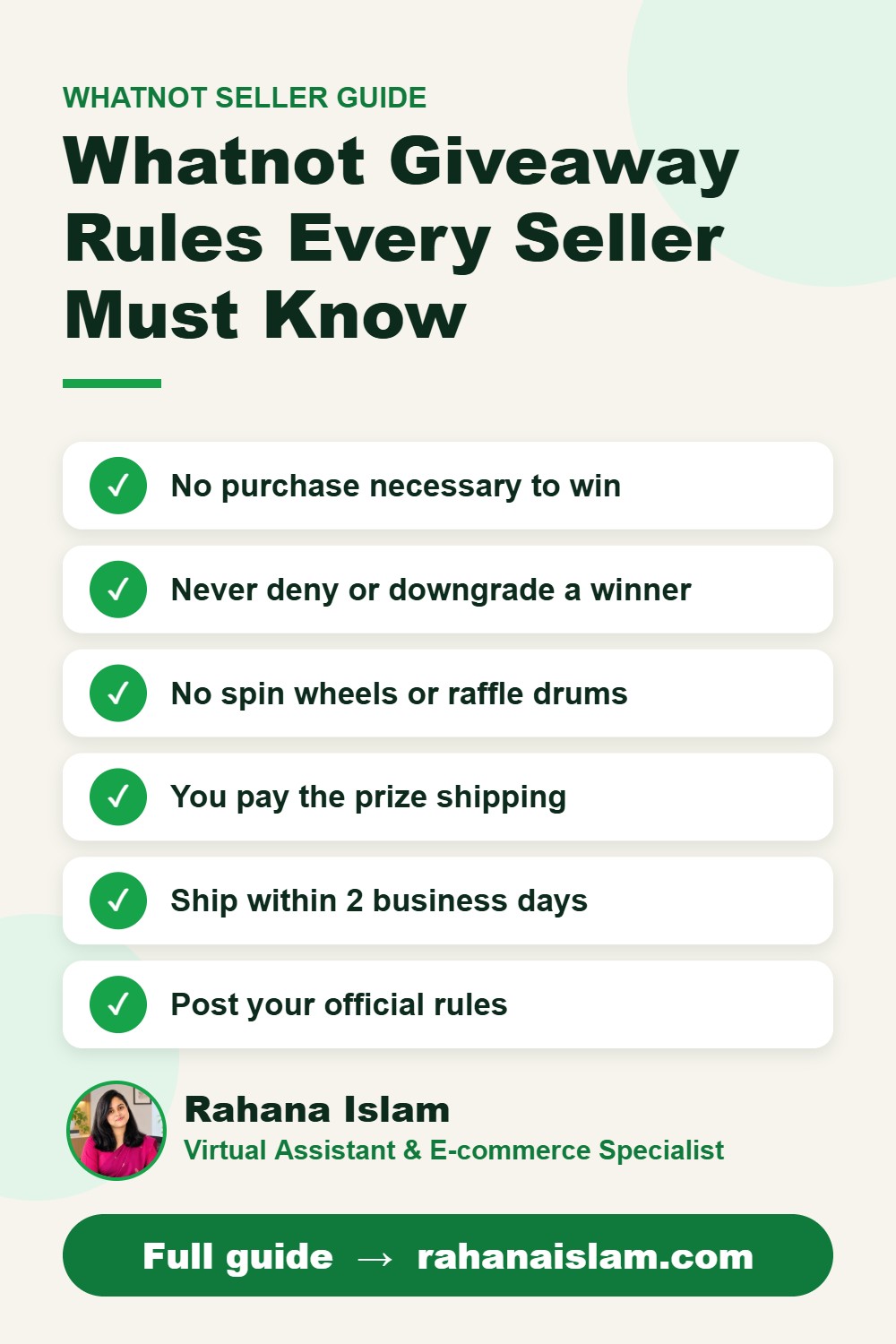
📌 Save this guide for later
Pin it to your Pinterest board so you can find it again when you need it.

About the Author
Rahana Islam
Virtual Assistant & E-commerce Specialist with 7+ years of remote experience supporting businesses in the United States, Denmark and worldwide with WordPress, Shopify, Amazon, Walmart and eBay operations. Level 2 Fiverr seller with a 5.0★ rating from 167 reviews, an NSDA-certified trainer & assessor and the #1 LEDP earner of Dhaka district.
Want Your Whatnot Shows to Run Smoothly?
Get help with listings, giveaway rules, shipping and order support from an experienced e-commerce VA.