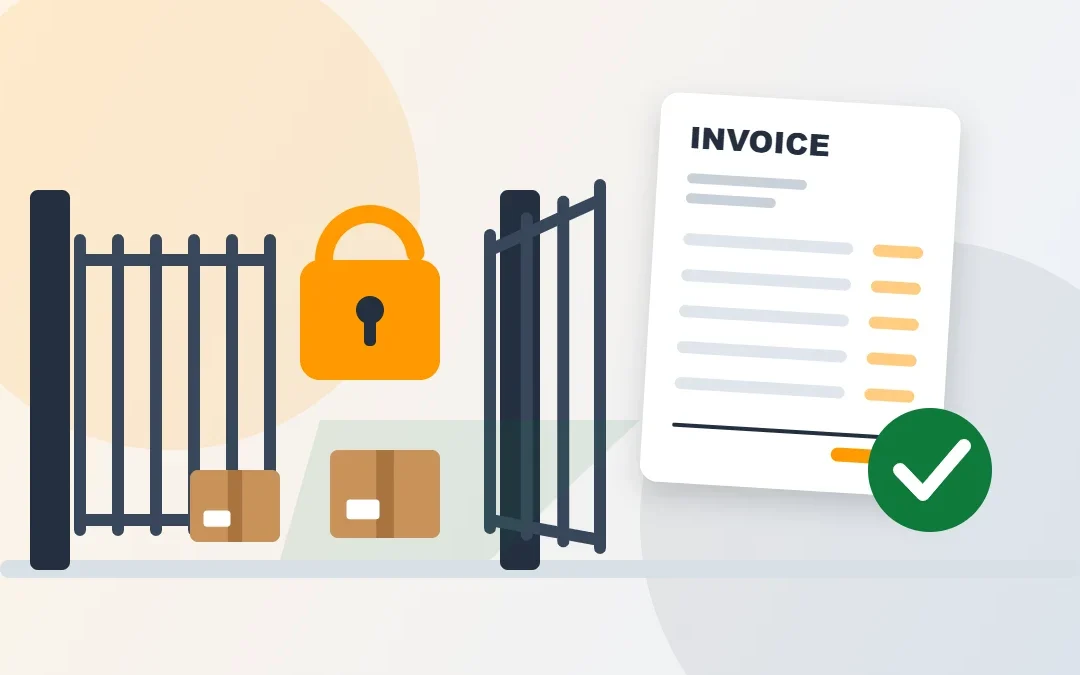
Amazon ungating means getting Amazon’s approval to sell in a restricted category, brand or product. This guide explains the 2026 invoice requirements, the exact steps in Seller Central and the most common reasons applications get declined, plus a free checker to test your invoice before you apply.
Key Takeaways
- Amazon can restrict a category, subcategory, brand or single ASIN, and one product may need more than one approval.
- Check any product in Add Products → Show limitations to see if you need approval.
- Amazon asks for purchase invoices dated within 180 days, plus photos, brand letters or safety certificates when needed.
- Most applications are reviewed in 2 to 7 business days, according to Amazon.
- Retail receipts, old invoices and mismatched names are the top reasons applications get declined.
Table of Contents
What Is Amazon Ungating?
Some products on Amazon are “gated”: you need approval before you can list them. Amazon does this to keep products in its store safe, authentic and legal. Ungating is the process of applying and getting that approval.
Amazon can place restrictions on these levels:
| Restriction type | Example |
|---|---|
| Category or subcategory | Grocery & Gourmet Food, Jewelry, Watches |
| Brand | A popular brand that only approved sellers can list |
| Brand within a category | A brand that is gated only in one category |
| Individual ASIN | One specific product with its own restriction |
One product can need several approvals. For example, you might need approval for the brand and for the subcategory it is listed in. Each one is a separate application.
How to Check if a Product Is Gated
In Seller Central, go to Catalog → Add Products and search for the product by name, UPC or ASIN. Look at the status next to it:
| What you see in Add Products | What it means |
|---|---|
| Sell this product | No approval needed. You can list it now. |
| Apply to sell | Approval is required. Click it to see the requirements. |
| Not available | You can’t list this product, and Amazon isn’t taking applications for it right now. |
For a new product that isn’t on Amazon yet, search for similar items. Amazon says restrictions on similar products will likely apply to yours too.
Free Ungating Invoice Checker
Before you apply, tick off each point below. If anything is missing, fix it first, because a declined application wastes time and you’ll need new documents to apply again.
🧾 Amazon Ungating Invoice Checker
Tick each point your invoice and documents meet. The checker shows what is still missing.
A checklist based on Amazon’s published approval guidance and common decline reasons. Amazon shows the exact requirements for each product on its Apply to sell page, and those always come first.
Amazon Ungating Invoice Requirements
Amazon’s help page lists the documents to prepare before applying:
- Purchase invoices dated within 180 days
- Clear product photos showing all sides
- Brand authorization letters, if the brand requires one
- Safety certifications, when required
- Commercial liability insurance documents, for certain categories
The exact rules for your product appear when you click Apply to sell and then Request approval. Amazon says that if any information is missing or a requirement isn’t met, the request will be declined. In practice, a strong invoice:
- comes from the manufacturer or an authorized distributor, not a shop or online retailer
- shows your business name and address exactly as in Seller Central
- shows the supplier’s name, address, phone number and website
- lists the product names and quantities clearly
- is a clean, original file with every page, with nothing cropped or edited
Warning: Never use a fake or edited invoice, or a service that “sells” invoices. Amazon may contact the supplier to check, and false documents can get your whole account suspended.
How to Get Ungated on Amazon: Step by Step
| Step | What to do |
|---|---|
| 1. Check the product | Go to Catalog → Add Products, search for the item and look at its status. |
| 2. Open the limits | Click Show limitations, then Apply to sell, then Request approval to see the exact requirements. |
| 3. Buy from a real supplier | Order from the manufacturer or an authorized distributor and get a proper invoice. |
| 4. Prepare documents | Invoice, product photos, brand authorization letter or safety certificates if asked. |
| 5. Submit the application | Fill in the form and upload clear, complete files. |
| 6. Wait for review | Amazon says most reviews take 2 to 7 business days. Check Selling Applications for updates. |
Tip: You can find all your drafts and submitted applications on the Selling Applications page. If you are declined, read the message in your case log, fix the problem and apply again with new documents.
Which Categories Need Approval?
The list changes often and can be different for each account, so always check the product in Add Products. Amazon’s help center has separate approval guides for these categories:
- Jewelry and Watches
- Clothing & Accessories
- Collectible Coins, Sports Collectibles and Entertainment Collectibles
- Fine Art and Postage Stamps
- Music & DVD, and Video, DVD & Blu-ray
- Streaming Media Players
- Services and Made in Italy
Many sellers also need approval for products in Grocery & Gourmet Food, Health & Personal Care and Beauty, as well as for many well-known brands, even in open categories.
If you sell from outside the US, my guide on how to sell on Amazon from Bangladesh explains account setup first.
Why Ungating Applications Get Declined
| Why applications get declined | How to fix it |
|---|---|
| Retail receipt instead of an invoice | Buy from a manufacturer or authorized distributor |
| Invoice older than 180 days | Place a new order and use the new invoice |
| Name or address doesn’t match your account | Use the exact business name and address from Seller Central |
| Missing supplier contact details | Ask the supplier for an invoice with address, phone and website |
| Product names don’t match the listing | Ask the supplier to list the full product names |
| Blurry, cropped or edited file | Upload the original PDF with every page |
| Supplier can’t be verified | Use a supplier with a real website and a working phone number |
If you see “Your account does not qualify”, Amazon has decided you can’t sell that product at this time. Amazon says this can’t be appealed. Focus on other products and keep your account health strong, as restrictions can change over time.
Need help with Amazon approvals?
I help sellers prepare ungating applications, check invoices, fix listing problems and manage Seller Central day to day. See Amazon VA services →
Official sources: Amazon: Categories and products that require approval · Amazon: Selling Applications FAQ · Amazon: Commercial liability insurance requirements. US rules checked November 2026 and subject to change.
Frequently Asked Questions
How long does Amazon ungating take?
Amazon says it reviews most applications in 2 to 7 business days. You can track the status on the Selling Applications page in Seller Central.
How old can my invoice be for Amazon ungating?
Amazon asks for purchase invoices dated within the last 180 days. Older invoices are usually declined, so apply soon after you buy.
Can I use a retail receipt to get ungated?
Usually not. Amazon asks for purchase invoices, and approvals normally need an invoice from the manufacturer or an authorized distributor. Receipts from retail stores are a common reason for declines.
How many units do I need on the invoice?
It depends on the product. Amazon shows the requirements for your product when you click Apply to sell and then Request approval. Make sure the invoice meets every point listed there, including the quantity.
What does “Your account does not qualify” mean?
Amazon has decided you can’t sell that product right now. Amazon says this decision can’t be appealed and Selling Partner Support can’t give more details.
Do I need insurance to sell in gated categories?
Amazon requires commercial liability insurance once you pass $10,000 in sales in one month, and for categories with enhanced safety requirements regardless of sales. Some categories also ask for insurance during the application.
Conclusion
Getting ungated on Amazon is mostly about good paperwork. Buy from a real manufacturer or authorized distributor, make sure the invoice is less than 180 days old with your exact business details, and follow the requirements on the Apply to sell page. Use the checker above before every application to avoid easy declines.
📌 Save this guide for later
Pin it to your Pinterest board so you can find it again when you need it.

About the Author
Rahana Islam
Virtual Assistant & E-commerce Specialist with 7+ years of remote experience supporting businesses in the United States, Denmark and worldwide with WordPress, Shopify, Amazon, Walmart and eBay operations. Level 2 Fiverr seller with a 5.0★ rating from 167 reviews, an NSDA-certified trainer & assessor and the #1 LEDP earner of Dhaka district.
Get Help With Your Amazon Seller Account
From ungating applications to listings and inventory, get support from an experienced Amazon VA.