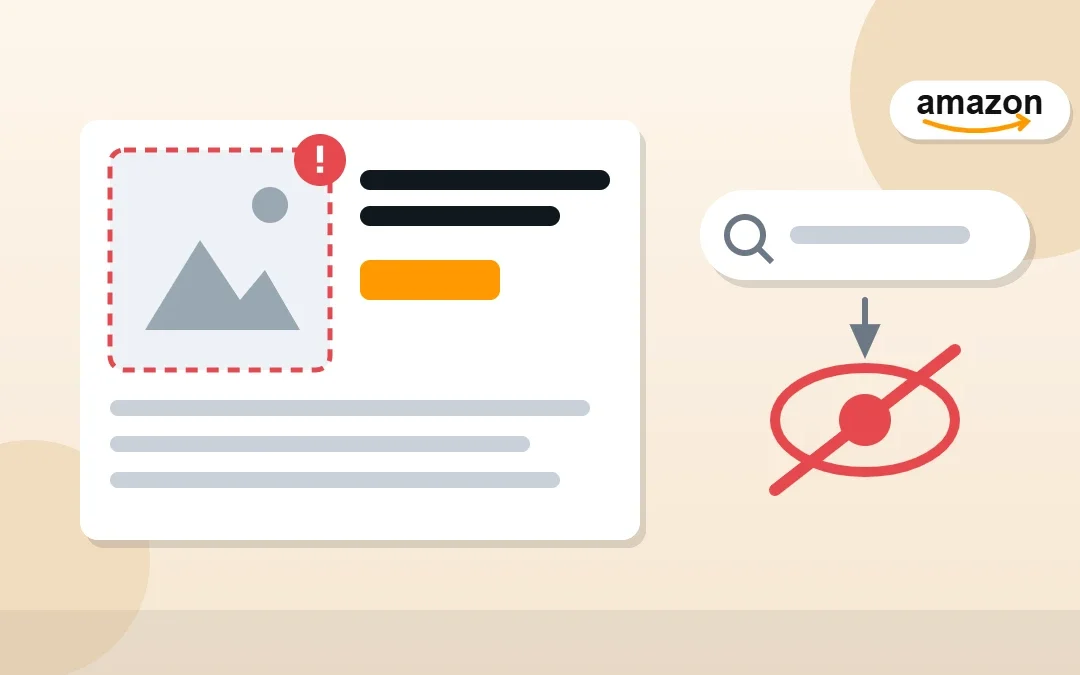
One day your product is selling, the next it has vanished from search. If Seller Central shows “Search Suppressed”, Amazon has hidden your listing because something on it breaks a rule, often something small like the main image or the title length. Fixing suppressed listings is part of my Amazon virtual assistant work, and this guide explains what Amazon listing suppressed means, the most common causes and the exact steps to get your listing back in search.
Key Takeaways
- A search suppressed listing is still active but hidden from Amazon search and browse.
- The most common causes are main image problems, title issues, missing required attributes and pricing errors.
- Find them in Inventory → Manage All Inventory using the Search Suppressed filter, or on the listing quality pages.
- Most suppressions clear soon after you fix the problem and save the listing.
- Check for new suppressions every week so you never lose sales for long.
Table of Contents
Free presentation for students & teachers
11 slides · PowerPoint (.pptx), opens in Google Slides & Keynote · free to use with credit
What Does “Search Suppressed” Mean on Amazon?
A suppressed listing has a problem that stops Amazon from showing it in search results, even though the offer may still exist. Customers searching for your product simply can’t find it, so sales drop fast. It is different from an inactive listing (out of stock, closed or blocked for price), but the effect on sales is similar.
Common Reasons Amazon Listings Get Suppressed
| Cause | Example | Fix |
|---|---|---|
| Main image problem | Missing image, non-white background, text or logos on the main image | Upload a compliant main image on a pure white background |
| Title issue | Title too long or with prohibited characters or promotional words | Shorten and clean the title to Amazon’s style rules |
| Missing required attributes | Brand, size, color or category-required details empty | Fill every required attribute for the category |
| Pricing error | Price far above or below recent prices | Correct the price or confirm it is accurate |
| Restricted words or claims | Unapproved health or pesticide claims | Remove the claims or get approval |
| Category or condition problems | Wrong category or invalid condition | Choose the correct category and condition |
How to Find Suppressed Listings in Seller Central
- Go to Inventory → Manage All Inventory.
- Use the Search Suppressed filter (or look for the status on each listing).
- Open the listing; Amazon shows the specific reason and which field needs attention.
- Also check the listing quality and “Fix your listings” pages for related alerts.
How to Fix a Suppressed Listing Step by Step
- Read Amazon’s reason carefully; it usually points to one field.
- Image: replace the main image with one on pure white, showing only the product, filling most of the frame.
- Title: shorten it, remove symbols, ALL CAPS and words like “best” or “sale”.
- Attributes: complete all required fields shown in red.
- Price: correct pricing errors or confirm the price is right.
- Save, then check back later. Suppression usually clears once Amazon reprocesses the listing.
Tip: If you edit many listings at once, use a flat file or the bulk edit tools, and check that your changes were accepted in the upload processing report.
Still Suppressed After Fixing?
- Another field may also be wrong; recheck every alert on the listing.
- Your change may not have been accepted. Look for errors in the upload processing report.
- Brand-registered sellers can update details through Brand Registry; others may need to open a case with Selling Partner Support.
- Make sure the listing isn’t also blocked by an account health policy issue.
How to Prevent Listing Suppression
- Follow Amazon’s image and title rules from day one. My listing optimization checklist covers them.
- Fill every required and recommended attribute.
- Use pricing rules carefully so repricers don’t trigger pricing errors.
- Check suppressed and inactive listings weekly, along with stranded inventory.
Frequently Asked Questions
What does search suppressed mean on Amazon?
It means your listing is hidden from Amazon search and browse because of a listing quality problem, such as a non-compliant main image, a title issue or missing required information.
How do I fix a suppressed listing on Amazon?
Open Inventory → Manage All Inventory, filter by Search Suppressed, read Amazon’s reason on the listing, fix that field (image, title, attributes or price), save and wait for Amazon to reprocess it.
Why is my Amazon listing suppressed because of images?
The main image must meet Amazon’s rules: a pure white background, only the product (no extra text, logos or watermarks) and the product filling most of the frame. A missing or non-compliant main image is a very common cause.
How long does it take for a suppressed listing to come back?
Usually soon after you fix the issue and Amazon reprocesses the listing, but it can take longer. If it stays suppressed, recheck all alerts and the upload processing report.
Is a suppressed listing the same as an inactive listing?
No. A suppressed listing is hidden from search because of a quality issue. An inactive listing is not available to buy at all, for example because it is out of stock, closed or has a pricing alert.
Can a virtual assistant fix suppressed listings?
Yes. I audit listings, fix suppression issues and keep catalogues compliant for Amazon sellers.
Conclusion
A suppressed listing is lost sales every hour it stays hidden. Find suppressed listings in Manage All Inventory, read Amazon’s reason, fix the image, title, attributes or price, and check every week so problems never sit for long.
Amazon Virtual Assistant
Want your listings monitored and fixed weekly? See my Amazon virtual assistant service.

About the Author
Rahana Islam
Virtual Assistant & E-commerce Specialist with 7+ years of remote experience supporting businesses in the United States, Denmark and worldwide with WordPress, Shopify, Amazon, Walmart and eBay operations. Level 2 Fiverr seller with a 5.0★ rating from 167 reviews, an NSDA-certified trainer & assessor and the #1 LEDP earner of Dhaka district.
Listings Disappearing From Search?
I fix suppressed and inactive Amazon listings at $5–7/hour.