

The best way to onboard a virtual assistant is with a clear, structured first week. Hiring is only half the job: the way you onboard a virtual assistant decides whether they become a dependable part of your team or another thing you have to manage. Business owners who skip onboarding often conclude that VAs do not work, when the real problem was unclear instructions and missing access.
This guide gives you a practical, day-by-day plan to onboard a virtual assistant securely and efficiently, plus a printable virtual assistant onboarding checklist, common mistakes to avoid and tips to measure success.
This guide gives you a practical, day-by-day plan to onboard a virtual assistant securely and efficiently, plus templates, common mistakes to avoid and a printable checklist.
Key Takeaways
Free presentation for students & teachers
17 slides · PowerPoint (.pptx), opens in Google Slides & Keynote · free to use with credit
- Prepare tasks, tools and access before day one.
- Train with short screen recordings, then turn them into written SOPs.
- Give separate, limited user accounts and use a password manager.
- Agree on a simple daily or weekly reporting routine.
Table of Contents
- Before Day One: Prepare the Basics
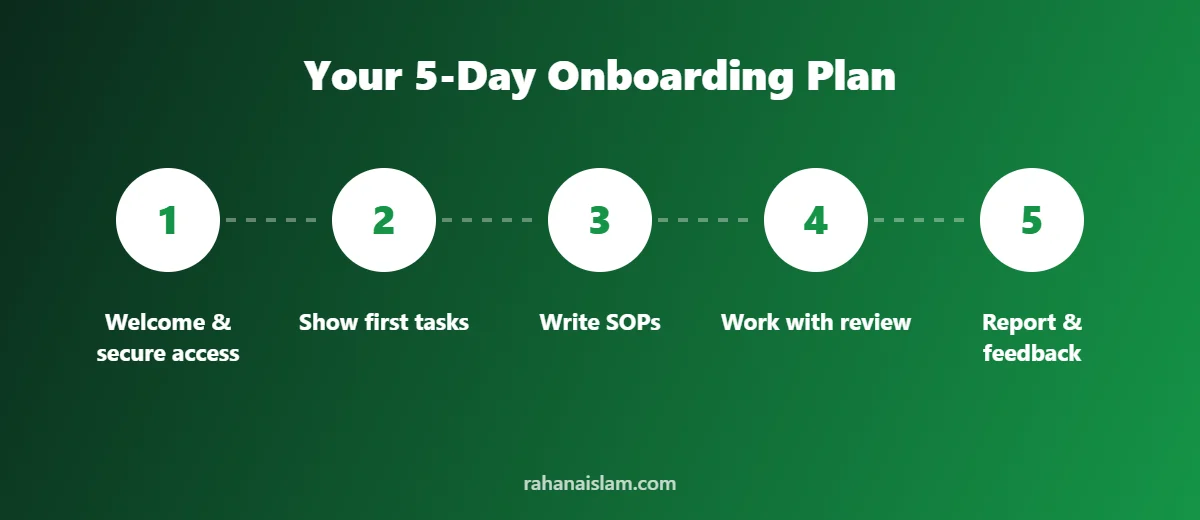
- Day 1: Welcome, Tools and Secure Access
- Day 2: Show the First Tasks
- Day 3: Turn Videos Into SOPs
- Day 4: Independent Work With Review
- Day 5: Reporting Routine and Feedback
- Common Onboarding Mistakes
- Your First-Week Checklist
- Why Virtual Assistant Onboarding Matters
- Tools That Make It Easy to Onboard a Virtual Assistant
- How to Measure Virtual Assistant Onboarding Success
- Meet the Virtual Assistant Behind This Checklist
- Frequently Asked Questions
- Conclusion
Before Day One: Prepare the Basics
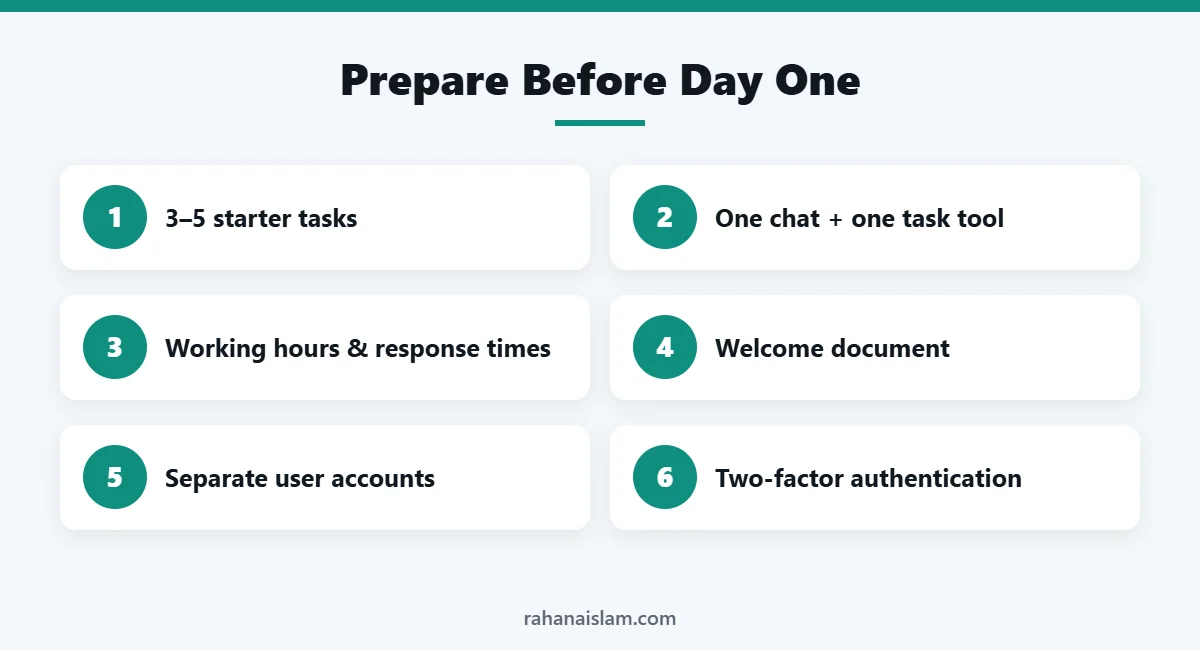
A little preparation saves hours of back-and-forth later. Before your VA starts, decide on:
- Three to five starter tasks. Pick recurring, rule-based work such as answering customer emails, updating inventory or uploading products.
- One communication channel (email, Slack or WhatsApp) and one task tool (Trello, Asana, ClickUp or a shared Google Sheet).
- Working hours and response times, especially if you are in different time zones.
- A short welcome document covering your business, brand voice, main products, key contacts and what success looks like.
Day 1: Welcome, Tools and Secure Access
Start with a short video call to introduce your business and goals. Then set up access the safe way:
| Platform | How to give access safely |
|---|---|
| WordPress / WooCommerce | Create a new user with the Editor or Shop Manager role, not Administrator |
| Shopify | Add a staff account and tick only the sections they need |
| Amazon Seller Central | Use User Permissions to invite a secondary user with limited rights |
| Walmart Seller Center / eBay | Add a user with role-based permissions |
| Google Workspace | Share specific folders or files rather than your whole Drive |
| Other tools | Share logins through a password manager instead of email or chat |
Turn on two-factor authentication for your own accounts and keep a simple list of what access you have given. That makes it easy to review or remove later.
Day 2: Show the First Tasks
Show, don’t just tell. Record a short screen video while you complete each task yourself and explain why you do each step. Free tools such as Loom or your computer’s built-in screen recorder work well. Keep each video under ten minutes and focused on one task.
Day 3: Turn Videos Into SOPs
Ask your VA to write a standard operating procedure (SOP) for each task based on your videos. A good SOP includes the goal, the tools needed, numbered steps, screenshots and what to do when something unusual happens. Writing the SOP confirms that your VA understood the process, and it gives your business documentation that survives holidays, sick days and future hires.
Day 4: Independent Work With Review
Let your VA complete the tasks on their own while you review the results. Give specific, kind feedback, for example “Please add the order number to every customer reply” rather than “Be more careful”. Update the SOPs with anything that was unclear. Small mistakes in the first week are normal and are the fastest way for a VA to learn your preferences.
Day 5: Reporting Routine and Feedback
Agree on a short end-of-day or end-of-week update with three parts: what was completed, what is in progress and any questions or blockers. Finish the week with a 15-minute call to review what went well, what to improve and which tasks to add next.
Common Onboarding Mistakes
- Handing over everything at once. Add responsibilities gradually as quality is proven.
- Vague instructions. “Update the listings” is unclear. “Update prices on these 20 SKUs using this sheet by Friday” is clear.
- Sharing your main password. Always create separate user accounts where the platform allows it.
- No feedback. Silence is not the same as approval. Regular, specific feedback speeds up learning.
- No documentation. Without SOPs, knowledge lives only in someone’s head.
Your First-Week Checklist
First-Week VA Onboarding Checklist
- ☐ Starter tasks listed and prioritised
- ☐ Communication and task tools set up
- ☐ Welcome document shared
- ☐ Separate user accounts created with limited permissions
- ☐ Two-factor authentication turned on
- ☐ Training videos recorded
- ☐ SOPs written and reviewed
- ☐ First tasks completed and checked
- ☐ Reporting routine agreed
- ☐ End-of-week review call held
Not sure yet whether you need help? Read 7 Signs You Need a Virtual Assistant. Selling on marketplaces? See what an e-commerce VA does for Amazon, Walmart and eBay sellers.
Why Virtual Assistant Onboarding Matters
Good virtual assistant onboarding is not paperwork; it is the fastest way to get value from your new hire. When you onboard a virtual assistant properly, they understand your goals, your customers and your standards from day one. That means fewer mistakes, fewer questions and faster results.
Research on employee onboarding consistently links structured onboarding to better retention and productivity. SHRM’s guide to employee onboarding is a helpful read, and the same principles apply when you onboard a virtual assistant remotely.
Tools That Make It Easy to Onboard a Virtual Assistant
- Screen recording: Loom or your built-in screen recorder for quick training videos.
- Task management: Trello, Asana or ClickUp to track tasks and deadlines.
- Communication: Slack, WhatsApp or email for daily updates.
- Password manager: share logins securely when a separate user account is not possible. CISA’s password guidance explains why this matters.
- Shared documents: Google Docs or Notion for SOPs and your welcome document.
You do not need every tool on day one. Pick one tool for each job and keep your virtual assistant onboarding simple.
How to Measure Virtual Assistant Onboarding Success
After you onboard a virtual assistant, review progress at the end of week one and again after 30 days. Useful measures include:
- Tasks completed on time and without correction
- Customer response times
- Number of questions per task (this should drop each week)
- SOPs written and kept up to date
- Your own hours saved each week
If these measures improve, your virtual assistant onboarding is working. If not, revisit your instructions and training videos before adding new tasks.
Meet the Virtual Assistant Behind This Checklist
Prefer to see who you would be working with? Here is a quick one-minute introduction to how I support online businesses as a remote virtual assistant.
Official sources: SHRM: Employee onboarding · CISA: Use strong passwords
Frequently Asked Questions
How long does it take to onboard a virtual assistant?
Most VAs can handle simple recurring tasks within the first week. More complex responsibilities, such as listing optimisation or reporting, usually take two to four weeks to hand over fully.
What should I include in a VA welcome document?
Include a short business overview, your products or services, brand voice, key contacts, working hours, communication rules and the first tasks with clear goals.
What is an SOP and why does it matter?
An SOP, or standard operating procedure, is a written step-by-step guide for a task. It keeps work consistent, makes training faster and protects your business if a team member is unavailable.
How do I measure if my VA is doing well?
Track a few simple measures such as response time to customers, accuracy of updates, deadlines met and how often tasks need correcting. Review them together every week or month.
What should I prepare before I onboard a virtual assistant?
Prepare three to five starter tasks, a welcome document, your communication and task tools, and separate user accounts with limited permissions.
How long should virtual assistant onboarding take?
Simple recurring tasks can be handed over in the first week. Plan for two to four weeks of virtual assistant onboarding before handing over more complex responsibilities.
Still hiring? Read how to hire a virtual assistant in 8 steps before you start onboarding.
Conclusion
A structured first week turns a new virtual assistant into a reliable team member much faster. Prepare the basics, train with videos, document everything in SOPs, give secure access and agree on how you will communicate. The time you invest now will pay you back every week after.
Virtual Assistant Services
Need reliable help with admin, customer support, research or reporting? See my virtual assistant services, at $5–7/hour.
📌 Save this guide for later
Pin it to your Pinterest board so you can find it again when you need it.

About the Author
Rahana Islam
Virtual Assistant & E-commerce Specialist with 7+ years of remote experience supporting businesses in the United States, Denmark and worldwide with WordPress, Shopify, Amazon, Walmart and eBay operations. Level 2 Fiverr seller with a 5.0★ rating from 167 reviews, an NSDA-certified trainer & assessor and the #1 LEDP earner of Dhaka district.
Want a VA Who Documents as They Go?
I write SOPs as I learn your processes, so your systems get stronger over time. Let’s talk about the tasks you want to hand off.