
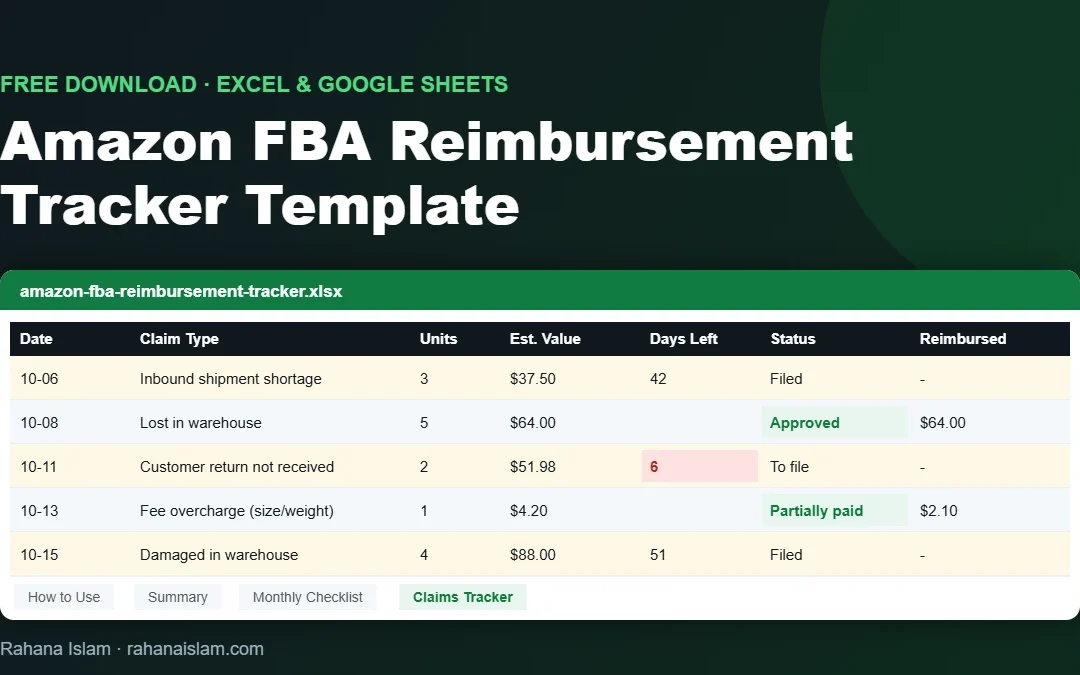
Looking for a free Amazon FBA Excel template to track reimbursements? This is the exact spreadsheet structure I use as an Amazon virtual assistant to log lost, damaged and short-received inventory, follow every case until it is paid and see how much money came back. Download it below. It works in Excel, Google Sheets and Numbers, and there is no sign-up.
Key Takeaways
- A free .xlsx Amazon FBA Excel template with 4 tabs: How to Use, Summary, Monthly Checklist and Claims Tracker.
- Type in the yellow cells only. Estimated value, days left before the deadline and the amount still owed calculate automatically.
- Claims due in fewer than 10 days turn red, so deadlines are hard to miss.
- The Summary tab shows what you claimed and recovered, by status and by claim type.
- Pair it with the FBA reimbursement guide for the full audit process.
Free download · no email needed
Amazon FBA Reimbursement Tracker (.xlsx)
Works in Excel, Google Sheets and Numbers · 4 tabs · ready-made formulas
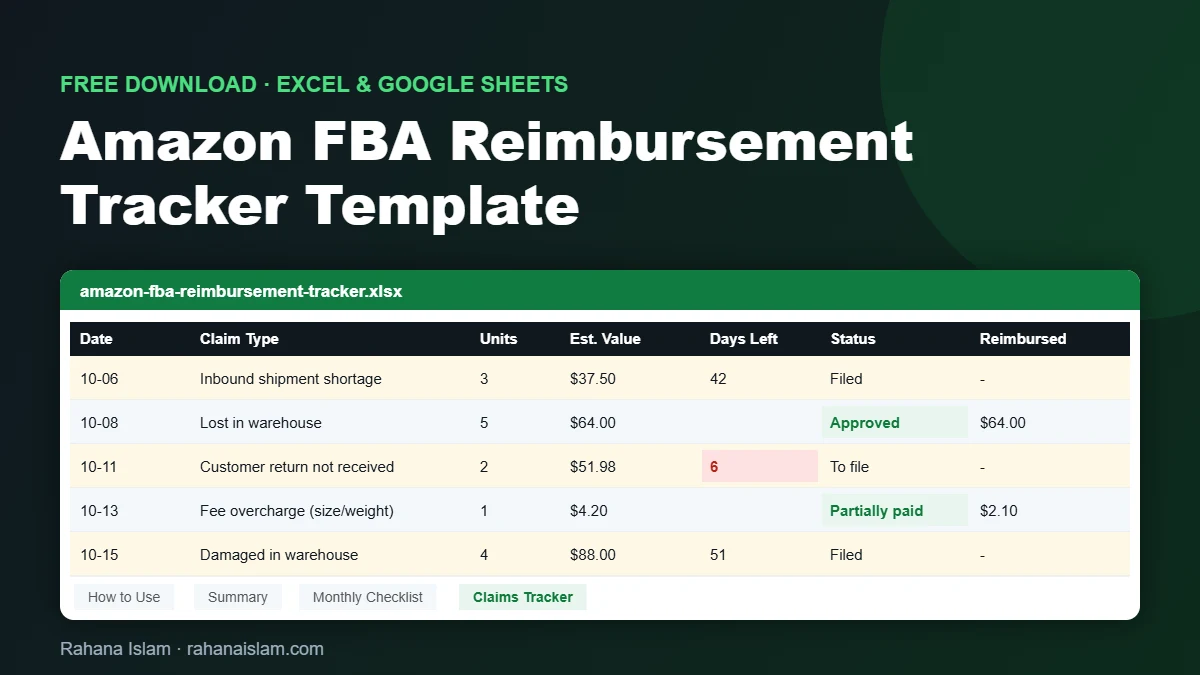
Table of Contents
What’s Inside the Amazon FBA Excel Template
| Tab | What it does |
|---|---|
| How to Use | Short instructions, a colour legend and links to the full guide. |
| Claims Tracker | One row per discrepancy: claim type, IDs, units, unit cost, deadline, case ID, status and amount reimbursed. Drop-down lists for claim type and status. |
| Summary | Total claims, estimated value, amount reimbursed, amount still owed, recovery rate and claims due soon, plus tables by status and by claim type. |
| Monthly Checklist | The weekly and monthly checks to run in Seller Central, with where to find each report. |
How to Use the Reimbursement Tracker
- Download the file and open it in Excel. For Google Sheets, go to File → Import → Upload, or upload it to Google Drive and open it with Google Sheets.
- Delete the example row (row 2) on the Claims Tracker tab.
- Run the checks on the Monthly Checklist tab: shipment shortages weekly, ledger and returns monthly.
- Add one row per discrepancy as you find it. Fill in only the light-yellow cells.
- Enter the claim deadline for each case. The Days Left column counts down and turns red under 10 days.
- Update the status (To file, Filed, Approved, Partially paid, Denied) and the amount reimbursed when Amazon replies.
- Review the Summary tab every month to see what you recovered and what is still owed.
Claim Types the Template Tracks
| Claim type | Where you usually find it |
|---|---|
| Inbound shipment shortage | Closed shipments where Amazon received fewer units than you sent |
| Lost in warehouse | Inventory Ledger adjustments that were never reimbursed |
| Damaged in warehouse | Units damaged by Amazon at a fulfillment center |
| Customer return not received | Refunds issued where the item never came back |
| Fee overcharge (size/weight) | FBA fees charged on the wrong size or weight |
| Removal order lost | Removal orders that arrived incomplete |
Amazon now reimburses many warehouse cases automatically, but shortages, unreturned refunds and fee errors often still need a manual claim. Claim windows have become much shorter, so always check the current deadline for each claim type in Seller Central Help.
Why Track Reimbursements in a Spreadsheet?
- Nothing gets forgotten. Cases that are “filed” but never answered are where most money is lost.
- You see deadlines coming. Short claim windows mean a missed week can cost you the claim.
- You know your real recovery rate, so you can decide whether a paid audit tool is worth it.
- A VA or team member can take over without losing history.
For one store doing about 48,000 orders a year, a simple routine like this recovered more than $10,000 in 12 months. See the full Amazon Seller Central case study.
Share This Template
Bloggers, course creators and Amazon seller communities are welcome to share this free template. Please link to this page rather than the file, so readers always get the latest version. You can copy this line:
<p>This page has a free <a href="https://rahanaislam.com/amazon-fba-reimbursement-tracker/">Amazon FBA reimbursement tracker template</a> by Rahana Islam.</p>
Free download · no email needed
Amazon FBA Reimbursement Tracker (.xlsx)
Works in Excel, Google Sheets and Numbers · 4 tabs · ready-made formulas
Frequently Asked Questions
Is this Amazon FBA Excel template really free?
Yes. It is a free .xlsx download with no sign-up or email required.
Does it work in Google Sheets?
Yes. Upload the file to Google Drive and open it with Google Sheets, or use File, then Import, then Upload. All formulas and drop-downs work.
Does the tracker connect to Seller Central automatically?
No. You copy the details from Seller Central reports into the sheet. This keeps it simple and works for any account.
How often should I check for FBA reimbursements?
Check closed inbound shipments weekly and run the full ledger, returns and fee review monthly, because Amazon’s claim windows are short.
Can you track reimbursements for me?
Yes. As an Amazon virtual assistant I run this audit every month, file the cases and follow up until they are paid, at $5–7 per hour.
Conclusion
Reimbursements are only recovered if someone finds them, files them and follows them up before the deadline. This free Amazon FBA Excel template gives you one place to do all three. Download it, run the monthly checklist and watch the Summary tab grow.
Amazon FBA Virtual Assistant
Prefer to hand this off? I run the monthly reimbursement audit, file cases and track every claim. See my Amazon virtual assistant service.

About the Author
Rahana Islam
Virtual Assistant & E-commerce Specialist with 7+ years of remote experience supporting businesses in the United States, Denmark and worldwide with WordPress, Shopify, Amazon, Walmart and eBay operations. Level 2 Fiverr seller with a 5.0★ rating from 167 reviews, an NSDA-certified trainer & assessor and the #1 LEDP earner of Dhaka district.
Want Your Reimbursements Handled?
I audit FBA discrepancies, file claims and follow up until you’re paid, at $5–7/hour.