
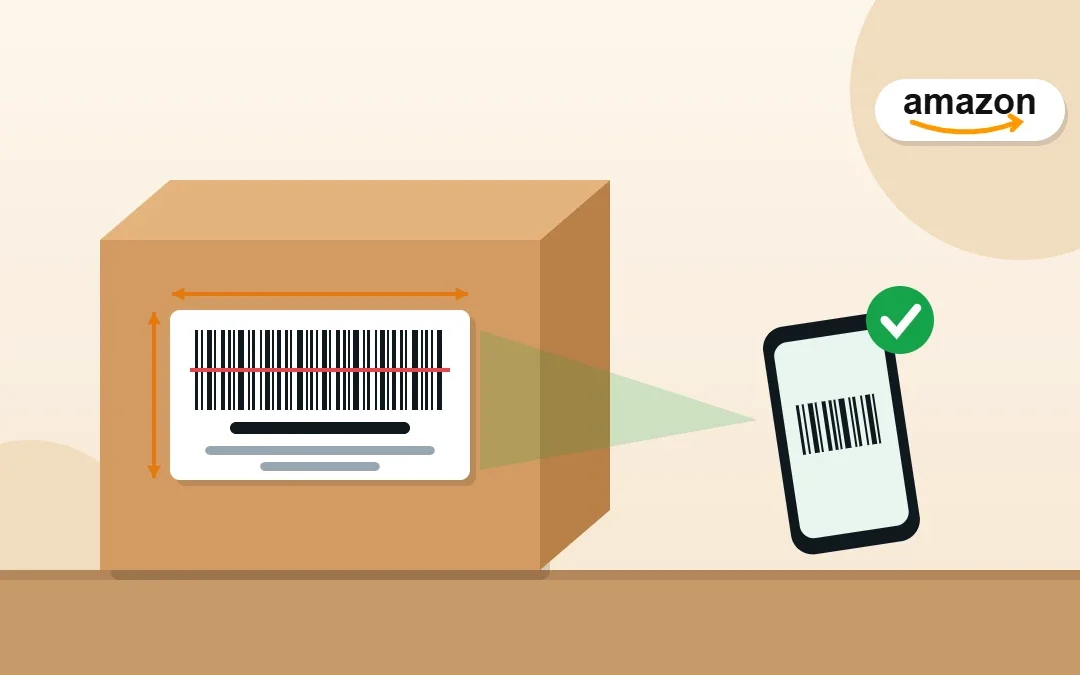
Every unit you send to Amazon FBA needs a scannable barcode, and for most sellers that means an FNSKU label. Get the size, placement or barcode wrong and your inventory can be delayed, relabeled for a fee or even sent to the wrong customer. I prepare FBA shipments for Amazon sellers every week, and this guide covers the exact FNSKU label size, what must be on the label, how to print it from Seller Central and the mistakes that cost sellers money.
Key Takeaways
- An FNSKU is Amazon’s own barcode that links each unit to your seller account. Amazon FNSKUs usually start with X00.
- FNSKU labels should be between 1 x 2 inches and 2 x 3 inches, printed in black on white, non-reflective labels.
- The most common format is the 30-per-sheet label (1 x 2-5/8 inches), which Seller Central supports.
- Cover or remove any other barcode (like the UPC) so only the FNSKU can be scanned.
- Wrong or missing labels can lead to prep fees, delays, or units becoming stranded or unfulfillable.
Table of Contents
- What Is an FNSKU (and How Is It Different from UPC and ASIN)?
- FNSKU Label Size and Print Requirements
- What Must Be on an FNSKU Label
- How to Print FNSKU Labels in Seller Central
- Where to Place FNSKU Labels
- Amazon Barcode vs Manufacturer Barcode
- Common FNSKU Label Mistakes (and What They Cost)
- Can Amazon Label Your Items for You?
- Frequently Asked Questions
- Conclusion
Free presentation for students & teachers
13 slides · PowerPoint (.pptx), opens in Google Slides & Keynote · free to use with credit
What Is an FNSKU (and How Is It Different from UPC and ASIN)?
| Code | What it identifies | Who uses it |
|---|---|---|
| UPC / EAN (GTIN) | The product, for any seller | Manufacturers and marketplaces |
| ASIN | The product page on Amazon | Amazon catalog |
| FNSKU | The product from your seller account in Amazon’s warehouses | Amazon fulfillment centers |
| SKU | Your own internal code for the item | You and your inventory tools |
Because the FNSKU is unique to your account, Amazon knows the unit belongs to you. That matters if a customer reports a damaged or fake item, and it is why most sellers choose Amazon barcodes over manufacturer barcodes.
FNSKU Label Size and Print Requirements
| Requirement | Guideline |
|---|---|
| Label size | Between 1 x 2 inches (minimum) and 2 x 3 inches (maximum) |
| Most common format | 30 labels per sheet, about 1 x 2-5/8 inches each |
| Colors | Black barcode and text on white, non-reflective labels |
| Adhesive | Removable adhesive, so customers can peel labels off easily |
| Quiet zone | Leave white space around the barcode; do not trim it |
| Print quality | Sharp bars, not stretched, smudged or faded |
Tip: Before printing a full batch, print one test label and scan it with a phone barcode app. If it scans cleanly and shows the right FNSKU, print the rest.
What Must Be on an FNSKU Label
- The barcode (Code 128) that encodes the FNSKU.
- The FNSKU number printed under the barcode, for example X00XXXXXXX.
- The product title (shortened by Seller Central if long).
- The condition, such as New or Used – Like New.
Seller Central adds all of this automatically when you print labels from your shipment or inventory page. Do not type your own labels by hand.
How to Print FNSKU Labels in Seller Central
- Go to Send to Amazon and start or open your shipment.
- Choose the SKUs and the number of units for each.
- Click Print SKU labels and choose the label paper size you use (for example 30-up on US Letter).
- Download the PDF and print it at 100% scale (turn off “fit to page”) so labels line up with the sheet.
- You can also print labels anytime from Inventory → Manage All Inventory: select the SKU, then Print item labels.
Where to Place FNSKU Labels
- Place the label on a flat surface of the item or its packaging, not over corners, edges or curves.
- Cover every other scannable barcode, such as the UPC on the box, so only the FNSKU scans.
- Use one label per sellable unit. For sets and multipacks, label the outer package and mark it as a set so it is not split.
- For items in poly bags, make sure the barcode is still easy to scan through the bag or place it on the outside.
Amazon Barcode vs Manufacturer Barcode
In your barcode preference you can choose Amazon barcode (FNSKU labels on every unit) or manufacturer barcode (Amazon scans the existing UPC). With manufacturer barcodes, eligible units can be stored together with identical units from other sellers, so you lose the ability to trace a problem back to your own stock. Most sellers I work with use Amazon barcodes for this reason.
Common FNSKU Label Mistakes (and What They Cost)
| Mistake | What happens | Fix |
|---|---|---|
| Wrong label on the wrong item | Customers receive the wrong product; returns and complaints | Label one SKU at a time and double-check before packing |
| Old UPC still visible | Item scans as a different product | Cover all other barcodes |
| Label too small or printed scaled-down | Barcode cannot be scanned; unit may need relabeling | Print at 100% scale on the right label size |
| Label on a curve or corner | Barcode is unreadable | Use a flat surface |
| Smudged or faded print | Units get set aside or relabeled for a fee | Test-scan a label before printing the batch |
Unscannable or wrongly labeled units can end up as stranded inventory or go missing in receiving. If units are lost or damaged in Amazon’s warehouse, you may be owed money; see my FBA reimbursement guide.
Can Amazon Label Your Items for You?
Not in the US anymore. Amazon ended its FBA prep and item-labeling services for US shipments on January 1, 2026. Every unit you send to US FBA must now arrive already labeled and prepped, by you, your supplier or a prep center. Shipments that arrive without proper labels may not be eligible for reimbursement if units are lost or damaged. If you sell in other marketplaces, check the current options in your Send to Amazon workflow.
Frequently Asked Questions
What size is an Amazon FNSKU label?
FNSKU labels should be between 1 x 2 inches and 2 x 3 inches. The most common choice is the 30-per-sheet label, about 1 x 2-5/8 inches, which Seller Central supports.
What does an FNSKU start with?
Amazon-generated FNSKUs usually start with X00. If you use the manufacturer barcode instead, Amazon tracks the unit by its existing barcode.
Where do I find my FNSKU?
In Seller Central, go to Inventory → Manage All Inventory. The FNSKU is shown for each listing, and you can print item labels from there or from your Send to Amazon shipment.
Do I need an FNSKU if my product has a UPC?
If your barcode preference is Amazon barcode, yes: each unit needs an FNSKU label and the UPC must be covered. With manufacturer barcode, Amazon can scan the UPC instead, but your units may be mixed with other sellers’ stock.
Can I print FNSKU labels at home?
Yes. Download the label PDF from Seller Central and print it at 100% scale on white label sheets of the matching size, then test-scan one label before printing the rest.
Can a virtual assistant prepare my FBA shipments?
Yes. I create Send to Amazon shipments, print and check FNSKU labels and keep inventory accurate for Amazon sellers at $5–7 per hour.
Conclusion
Correct FNSKU labels are a small detail that protects your inventory, your account and your customers. Use the right label size, print at full scale, cover every other barcode and place labels on flat surfaces. Get this right once, turn it into a checklist, and every FBA shipment will check in faster.
Amazon Virtual Assistant
Want your FBA shipments prepared and labeled correctly? See my Amazon virtual assistant service.

About the Author
Rahana Islam
Virtual Assistant & E-commerce Specialist with 7+ years of remote experience supporting businesses in the United States, Denmark and worldwide with WordPress, Shopify, Amazon, Walmart and eBay operations. Level 2 Fiverr seller with a 5.0★ rating from 167 reviews, an NSDA-certified trainer & assessor and the #1 LEDP earner of Dhaka district.
Tired of Prepping FBA Shipments?
I create shipments, check labels and manage Seller Central for Amazon sellers at $5–7/hour.