
Creating a subdomain in cPanel lets you run a separate website under your main domain, for example blog.yourdomain.com, shop.yourdomain.com or staging.yourdomain.com. A subdomain in cPanel is perfect for testing a redesign, launching a new product, running a help centre or keeping a project separate from your main site.
In this guide you will learn how to create a subdomain in cPanel in five easy steps, install WordPress on it, secure it with free SSL and decide whether a subdomain or a subfolder is better for your SEO.
Key Takeaways
- Create subdomains in cPanel under Domains in under a minute.
- Install WordPress on the subdomain with Softaculous, then run AutoSSL.
- For SEO, a subfolder usually helps your main site more. Use subdomains for separate projects or staging.
Table of Contents
- What Is a Subdomain?
- Subdomain vs Subfolder: Which Is Better for SEO?
- How to Create a Subdomain in cPanel
- How to Install WordPress on a Subdomain
- Secure Your Subdomain With SSL
- Using a Subdomain as a Staging Site
- How to Point a Subdomain in cPanel to Another Server
- Subdomain in cPanel Best Practices
- Frequently Asked Questions
- Conclusion
Free presentation for students & teachers
13 slides · PowerPoint (.pptx), opens in Google Slides & Keynote · free to use with credit
What Is a Subdomain?
A subdomain is a prefix added to your domain name that works like a separate website. In shop.example.com, “shop” is the subdomain and “example.com” is the main domain. Each subdomain can have its own files, its own WordPress installation and its own design, while you manage everything from the same hosting account.
Subdomain vs Subfolder: Which Is Better for SEO?
| Subdomain (blog.example.com) | Subfolder (example.com/blog) | |
|---|---|---|
| Setup | Separate website and installation | Part of your main website |
| SEO | Search engines may treat it more like a separate site | Shares authority with your main domain |
| Best for | Staging sites, separate brands, apps, help centres | Blogs, service pages and content that supports your main site |
| Maintenance | Separate updates and plugins | One site to maintain |
If your goal is to grow traffic to your main business website, a subfolder is usually the better choice for a blog. Use a subdomain when the project is genuinely separate or should not be indexed, such as a staging site.
How to Create a Subdomain in cPanel
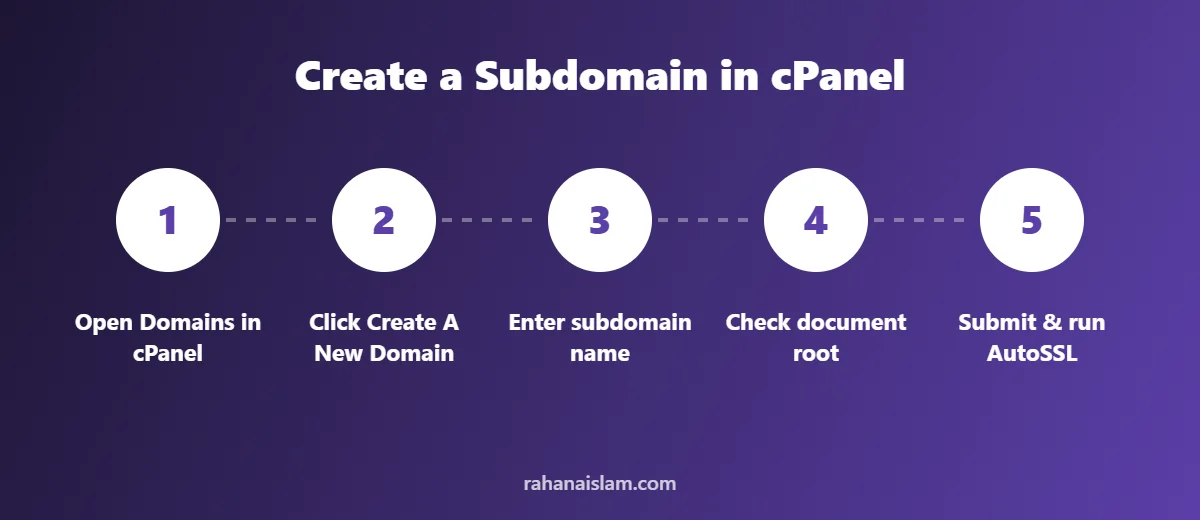
- Log in to cPanel.
- In the Domains section, click Domains (older versions show Subdomains).
- Click Create A New Domain (or use the subdomain form in older versions).
- Enter the full subdomain, for example
shop.yourdomain.com. - Check the document root. cPanel suggests a folder such as
public_html/shoporshop.yourdomain.com. This is where the subdomain’s files will live. - Untick Share document root if it appears, so the subdomain has its own folder.
- Click Submit or Create. The subdomain usually works within minutes, although DNS can occasionally take longer.
How to Install WordPress on a Subdomain
- In cPanel, open Softaculous Apps Installer (or WordPress Manager) and click WordPress > Install Now.
- Under Choose Installation URL, select
https://and pick your new subdomain from the dropdown. - Leave In Directory empty so WordPress installs at the root of the subdomain.
- Enter the site name, a unique admin username, a strong password and your email.
- Click Install, then log in at
shop.yourdomain.com/wp-admin.
Prefer to install manually? Follow the manual steps in our guide on how to install WordPress in cPanel, uploading the files to the subdomain’s document root instead of public_html.
Secure Your Subdomain With SSL
Browsers show a “Not secure” warning on sites without SSL. In cPanel, open SSL/TLS Status, tick your new subdomain and click Run AutoSSL. Within a few minutes your subdomain will load securely with https://. Then make sure both URLs in WordPress Settings > General start with https://.
Using a Subdomain as a Staging Site
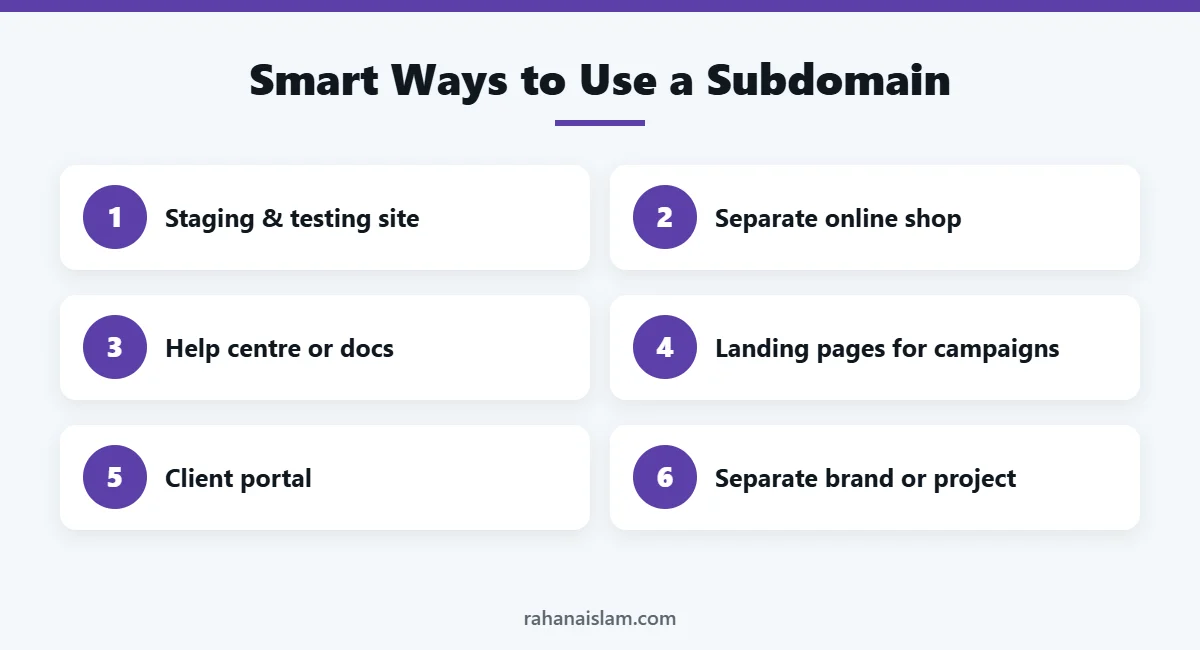
A staging site is a private copy of your website where you can test updates, new plugins or a redesign without risking your live site. To keep a staging subdomain out of Google:
- Tick Discourage search engines from indexing this site in Settings > Reading on the staging site only.
- Protect the folder with a password using Directory Privacy in cPanel.
- Always back up your live site before copying changes from staging to live.
How to Point a Subdomain in cPanel to Another Server
Sometimes you want a subdomain in cPanel to point somewhere else, such as a Shopify store, a landing page builder or a help desk tool. Instead of hosting files, you change its DNS records:
- Open Zone Editor in cPanel.
- Find the subdomain and add or edit a CNAME record (for hosted platforms) or an A record (for a specific server IP).
- Enter the value provided by the platform and save.
- Wait for DNS to update, usually within minutes to a few hours.
Official cPanel documentation on the Zone Editor explains each record type in detail.
Subdomain in cPanel Best Practices
- Use short, clear names:
shop,helporstagingare easy to remember. - Secure every subdomain in cPanel with SSL so browsers never show security warnings.
- Keep staging private: password-protect it and stop search engines indexing it.
- Update every WordPress install: each subdomain is a separate site that needs its own updates and backups.
- Back up regularly: include subdomains in your cPanel backup routine.
For a deeper look at how search engines treat subdomains and subfolders, see Google’s guidance on URL structure.
Official sources: cPanel Docs: Zone Editor · Google Search Central: URL structure
Frequently Asked Questions
Do subdomains cost extra?
No. Most hosting plans include unlimited or several subdomains at no extra cost, because they use your existing domain.
How many subdomains can I create in cPanel?
It depends on your hosting plan. Many shared plans allow unlimited subdomains, while some limit the number. Check your plan details in cPanel.
Why is my new subdomain not loading?
DNS may still be updating, or the subdomain points to an empty folder. Wait a few minutes, check the document root and make sure files or WordPress are installed there.
Can I delete a subdomain later?
Yes. In cPanel go to Domains and remove it. Back up and delete its files and database separately if you no longer need them.
Does a subdomain in cPanel need its own SSL certificate?
It needs to be covered by SSL, but you rarely have to buy anything. Run AutoSSL in cPanel and your new subdomain is usually secured within minutes.
Can I move a subdomain in cPanel to my main domain later?
Yes. You can migrate the site files and database to your main domain, then set up redirects so visitors and search engines find the new address.
Conclusion
Creating a subdomain in cPanel and installing WordPress on it takes only a few minutes. Use subdomains for separate projects and staging sites, secure them with SSL, and keep your main content in subfolders when SEO for your main site is the priority.
WordPress Management Services
Rather have someone handle updates, backups, security and fixes for you? See my WordPress management services.

About the Author
Rahana Islam
Virtual Assistant & E-commerce Specialist with 7+ years of remote experience supporting businesses in the United States, Denmark and worldwide with WordPress, Shopify, Amazon, Walmart and eBay operations. Level 2 Fiverr seller with a 5.0★ rating from 167 reviews, an NSDA-certified trainer & assessor and the #1 LEDP earner of Dhaka district.
Need a Staging Site or New Website Set Up?
I set up, secure and maintain WordPress websites and staging environments for small businesses.